Open 24/7, weekends & holidays
 IDA Certified Residential & Commercial
LiftMaster Gate Operators in Maryland
Fast Service. Fair Pricing. Great Warranty.
- Same-day service available
- A firm price before any work begins
- Fixed in one trip with fully stocked trucks
- Maryland licensed, MHIC #138235
Prefer to text? Text us at (410) 600-1031
Need gate work?
Free estimate
Call us, or text us photos, and we will give you a price before any work begins.
- No charge and no obligation
- Photos by text are enough to start
- A firm price before any work begins











 Authorized LiftMaster dealer
LiftMaster gate operators, installed and repaired in Maryland
LiftMaster makes automatic gate operators for homes and businesses: swing gate arms and pad mount operators, slide gate operators and barrier arms, most of them DC powered with battery backup and myQ phone control. ADP Garage Door Repair is an authorized LiftMaster dealer. We install new LiftMaster gate operators, add the safety sensors, keypads and remotes they need, and repair and replace batteries in the LiftMaster gate operators already on your property.
- 20+ gate jobs completed since June 2020, all gate brands
- 10+ gate jobs in the last two years, all gate brands
- UL 325 the gate safety standard LiftMaster tests its gate operators to
Counts come from our own Housecall Pro job records and cover every gate job we have done, not only LiftMaster. Product facts on this page are from LiftMaster’s website (liftmaster.com), its support sites and the LA500 installation manual, checked November 2026.
The LiftMaster gate operators we work on
Our invoices show the LiftMaster gate work homeowners ask for most: LA412 dual arm systems and LA500 dual swing gate openers (the LA500PKGUL package) on driveway gates, and replacement gate operator batteries, which LiftMaster says to change every 3 years. For commercial gates we quote LiftMaster’s pad mount swing, slide and barrier operators. For the garage, see our page on LiftMaster garage door openers.
LiftMaster swing, slide and barrier gate operators
LiftMaster’s residential gate operators are the LA400UL, LA412UL and LA500UL swing gate arms, the RSW12UL swing operator and the RSL12UL slide operator. For high traffic commercial gates LiftMaster makes the CSW24UL swing and CSL24UL slide operators, AC models, heavy duty and industrial operators, and the Mega Arm barrier gates.
| Model | Class | What LiftMaster publishes |
|---|---|---|
| Swing gates: linear actuator arms | ||
| LA400UL | Residential | 24 V DC; gates up to 16 ft or 850 lb; battery backup; solar ready; 2 year operator warranty |
| LA412UL | Residential | 12 V DC solar package (LA412PKGUL); gates up to 16 ft or 850 lb; solar optimized |
| LA500UL | Residential and light commercial | 24 V DC; gates up to 18 ft or 1,600 lb; battery backup; solar ready; 300 cycles a day; 2 year operator warranty |
| Swing gates: pad mount operators | ||
| RSW12UL | Residential and light commercial | 12 V DC; gates up to 16 ft or 1,000 lb; battery backup; solar ready; 3 year operator warranty |
| CSW24UL | High traffic commercial | 24 V DC; gates up to 18 ft or 1,600 lb; battery backup; solar ready; 7 year residential, 5 year commercial warranty |
| CSW200UL | High traffic commercial | ½ and 1 HP AC swing gate operators |
| HDSW24UL | Heavy duty | 24 V DC variable speed swing gate operator |
| Slide gates | ||
| RSL12UL | Residential and light commercial | 12 V DC; gates up to 25 ft and 800 lb; battery backup; solar ready; 3 year operator warranty |
| SL1000ULC | Residential | 24 V DC rack and pinion drive slide gate operator |
| CSL24UL | High traffic commercial | 24 V DC; gates up to 50 ft and 1,500 lb; battery backup; solar ready; auto open on power loss for fire department access; 7 year residential, 5 year commercial warranty. The CSL24ULWK includes the wireless edge kit |
| SL3000UL | High traffic commercial | ½ and 1 HP AC slide gate operators |
| HDSL24UL, INSL24UL, IHSL24UL | Heavy duty and industrial | 24 V DC heavy duty variable speed (HDSL24UL) and continuous duty industrial slide gate operators |
| Barrier gates | ||
| MA Mega Arm | Commercial | DC barrier gate rated for 6,000 cycles a day, opens in 2.5 seconds; battery backup; 10 year cabinet warranty, 2 years on electronic and mechanical parts |
| MAST, MAS | Commercial | High speed Mega Arm Tower and Mega Arm; LiftMaster rates the MAST for 10,000 cycles a day with a 0.9 second opening |
From LiftMaster’s product pages (liftmaster.com) and the LA500PKGUL product guide, checked November 2026. LiftMaster’s LA500 manual adds that the arm’s rating depends on gate length: 1,600 lb on an 8 ft gate, 800 lb at 16 ft and 600 lb at 18 ft.
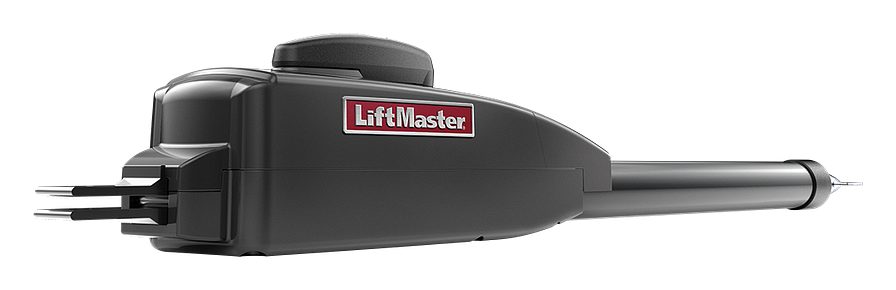
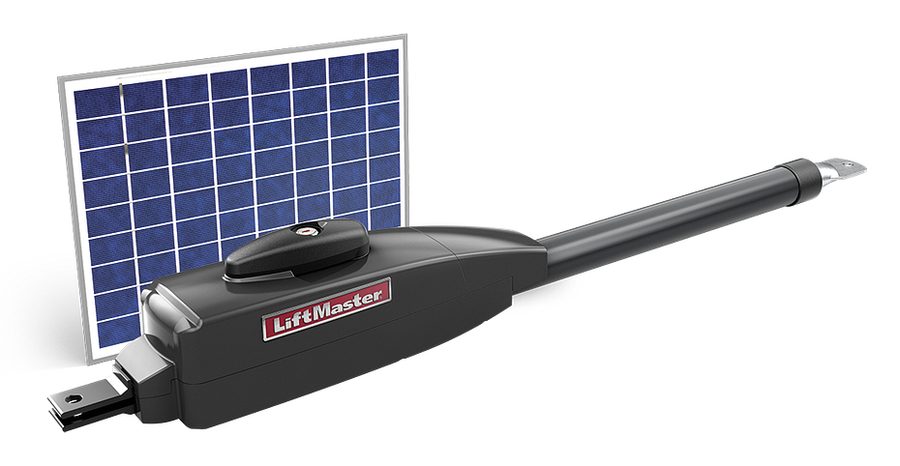
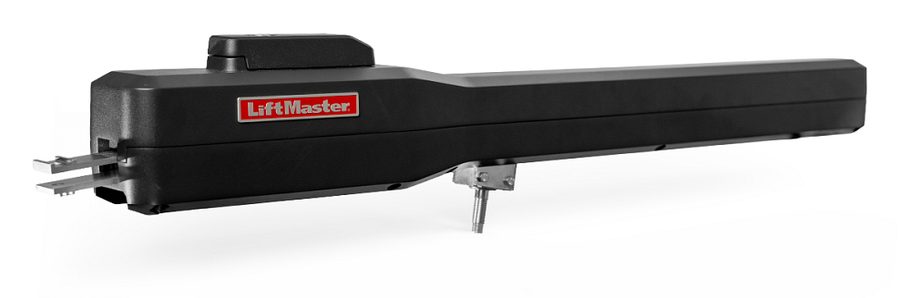
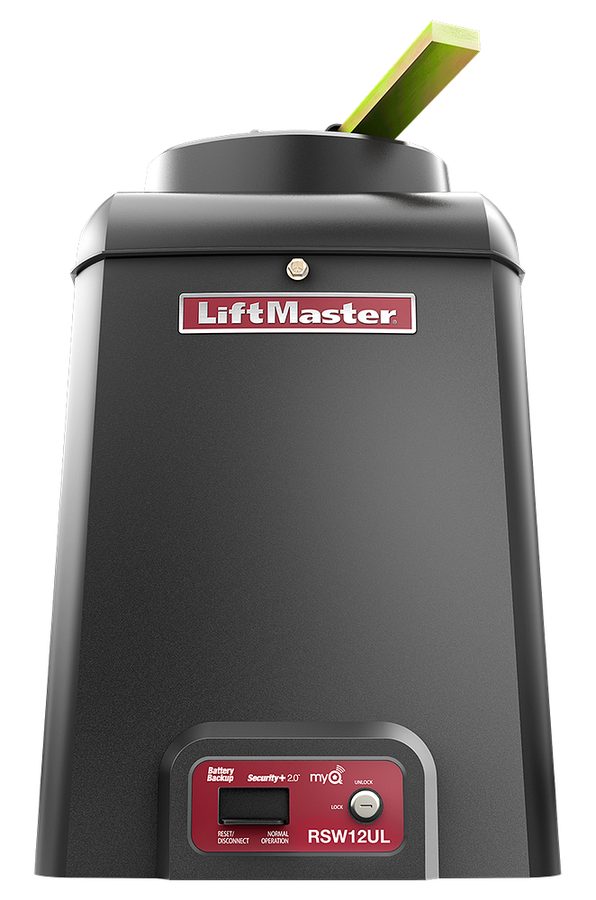
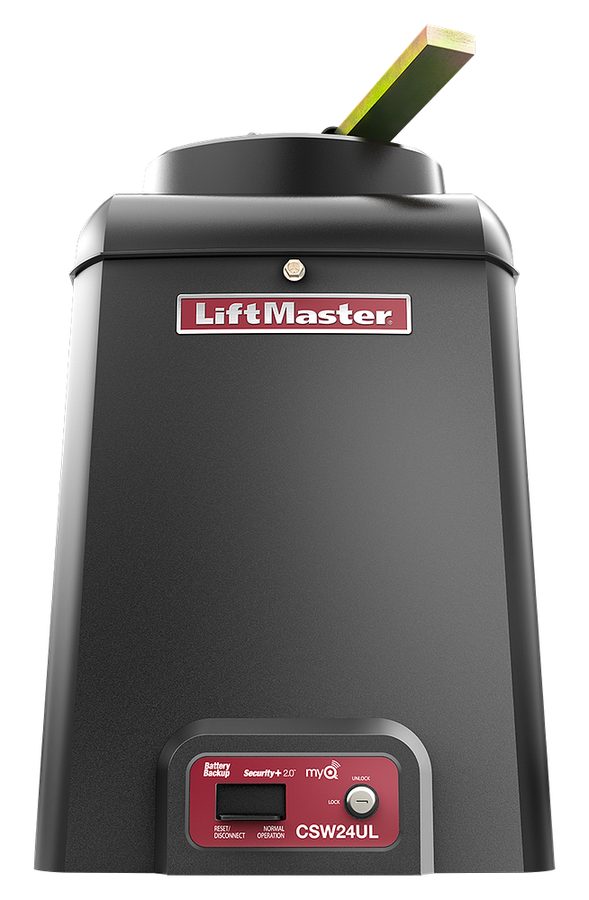
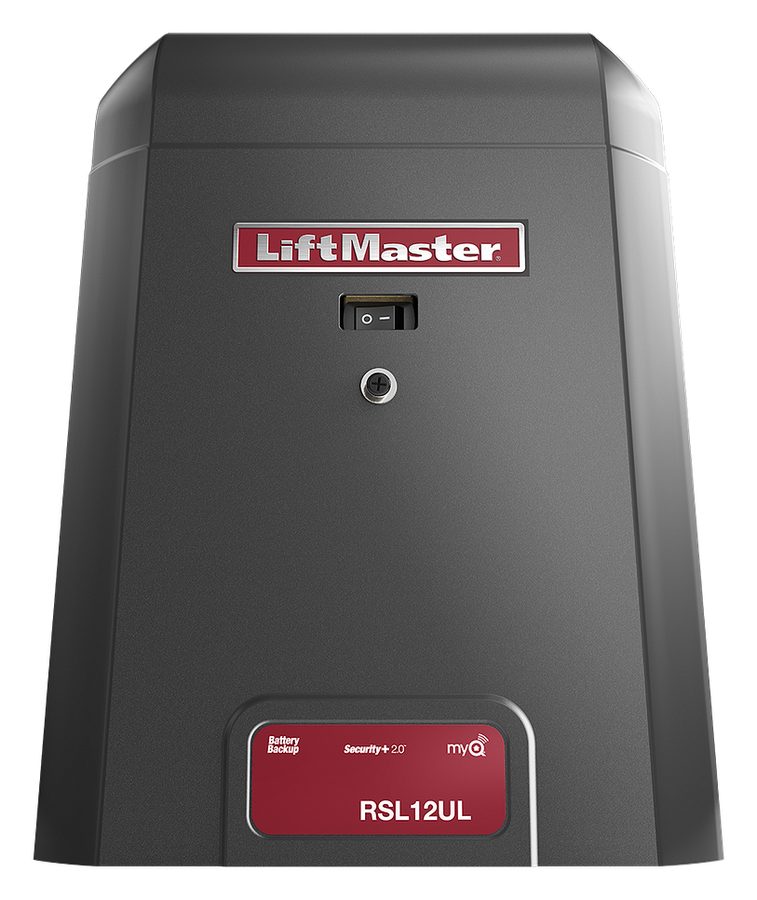
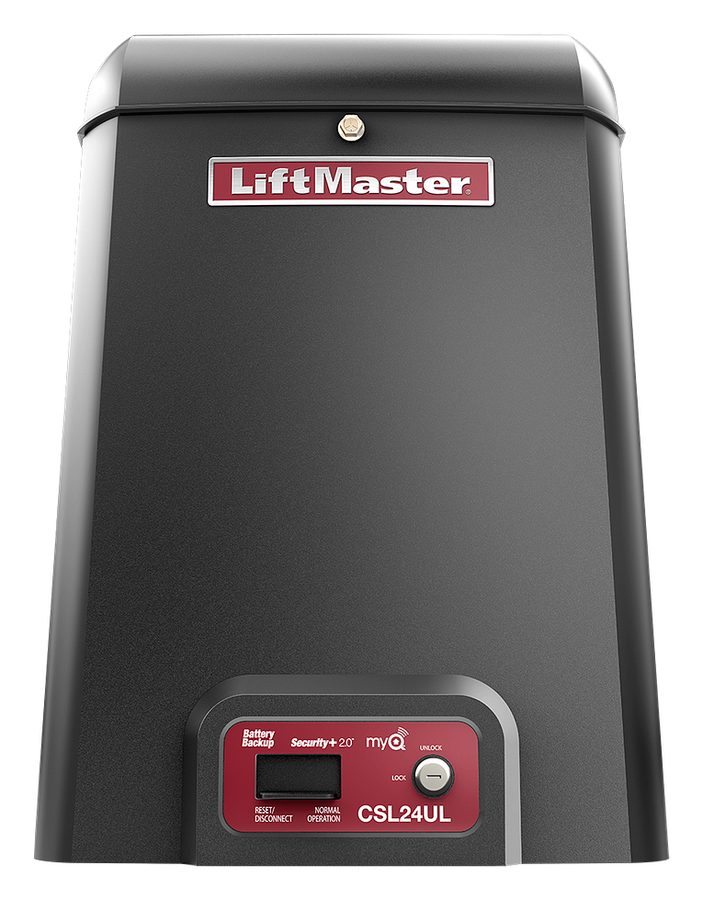
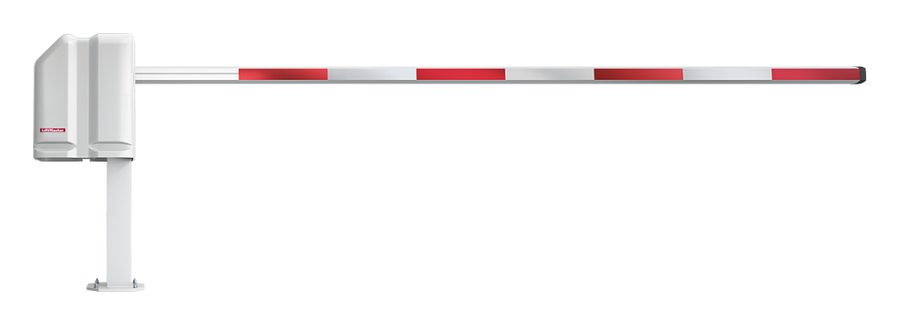
Product images: LiftMaster (liftmaster.com).
Swing, slide or barrier arm?
- Swing gates open on hinges like a door. A linear actuator arm (LA400UL, LA412UL, LA500UL) mounts between the post and the gate; a pad mount operator (RSW12UL, CSW24UL) sits on a concrete pad beside it. Dual gates use one operator per leaf, and LiftMaster’s wireless dual gate communication means no trench across the driveway between them.
- Slide gates roll along the fence line. LiftMaster describes its slide operators as the choice that minimizes the space a gate needs.
- Barrier arms (Mega Arm) control traffic at parking lots and community entrances where a full gate is not needed.
- Residential or commercial. LiftMaster rates each operator by gate length, gate weight and how often it runs. A gate at a home and a gate at a community entrance need different operators even when the gates look alike.
Gate projects are quoted per project. We look at the gate, its hinges or track, the power at the post and how the gate is used, then give you a free estimate and a firm price before any work begins.
Battery backup, solar power and myQ for LiftMaster gates
- Battery backup. The DC operators keep running on their batteries when the power is out. The LA500 control box comes with two 7Ah batteries. LiftMaster says batteries do not perform well in extreme cold and should be replaced every 3 years for best performance, using its 29-NP712 batteries. When the batteries are low, the operator beeps 3 times with each command.
- Solar power. The LA400UL, LA412UL, LA500UL, RSW12UL and RSL12UL are on LiftMaster’s list of gate operators with solar options, and the CSW24UL and CSL24UL are solar ready. Solar works where running power to the gate is hard.
- myQ. With the 828LM Internet Gateway, a myQ enabled gate operator can be opened, closed and checked from the myQ app (Wi-Fi or cellular data required). Communities and businesses can use myQ Community and myQ Facility to manage many gates from one dashboard.
- Keypads. The KPW250 and KPW5 wireless keypads add PIN entry without wires, and LiftMaster’s Party Mode lets a valid PIN hold the gate open.
- Video intercoms. LiftMaster’s Smart Video Intercom S (CAPXS) is made for smaller buildings and single family homes with a gate; the larger CAPXM and CAPXL models serve bigger properties. We also install DoorBird video intercoms with gate operators.
- Remotes, HomeLink and loops. The LA500 receiver stores up to 50 remotes (unlimited with the 811LMX and 813LMX), works with HomeLink version 4.0 or higher (some cars need an adapter), and takes the LOOPDETLM plug in loop detector, which keeps the gate from closing on a car in its path.
From LiftMaster’s product pages, the LA500PKGUL product guide and the LA500 installation manual (liftmaster.com), checked November 2026.
UL 325 entrapment protection on LiftMaster gates
Every automatic gate must have entrapment protection under UL 325. LiftMaster’s operators have an inherent reversing sensor built in, and the installer must add at least one more monitored device, such as photo eyes or safety edges, for each place a person could be caught. Without one, LiftMaster’s current operators will not close on their own.
- Two independent devices per zone. LiftMaster’s manual requires a minimum of two independent monitored entrapment protection devices at each entrapment zone, of different types: the inherent sensor, LiftMaster monitored photo eyes, or LiftMaster monitored edge sensors.
- Where the zones are. On a swing gate, a zone exists where the gap under the moving gate is more than 4 inches and less than 16 inches, or where the gate comes within 16 inches of a wall, post or other fixed object. Edge sensors go on the inside and outside leading edge of a swing gate.
- Controls and signs. Wall or post controls must be at least 6 feet from any moving part of the gate, where nobody can reach through the gate to use them. At least two warning signs go up, one visible from each side.
- Vehicles only. These operators are for vehicle gates. Pedestrians need a separate entrance.
If a current LiftMaster operator shows code 60, it has not found a monitored entrapment device: one is missing, wired wrong or not compatible. That is a call for us, not a setting to change.
LiftMaster’s safety rules. Never let children operate or play with gate controls, and keep the remote away from children. Always keep people and objects away from the gate: no one should cross the path of a moving gate. Use the manual release only when the gate is not moving. Have a trained gate systems technician make repairs to the gate hardware.
LiftMaster’s maintenance schedule
| How often | What to check |
|---|---|
| Every month | Test the gate: it must reverse on contact with an object, or when an object blocks the photo eyes. Check that the warning signs are in place, and look over the gate for wear or damage |
| Every 6 months | Manual release, accessories, wire connections, mounting hardware and the operator itself (a technician’s check) |
| Every 3 years | Replace the batteries |
From the safety and maintenance sections of LiftMaster’s LA500PKGUL, LA500DC and LA500DCS installation manual. Stop using the gate if the safety system works poorly, the gate is damaged or the gate is hard to move.
How to program a remote to a LiftMaster gate operator
Put the remote in programming mode until its LED stays solid, press and release the LEARN button on the gate operator’s control board, then press the remote button you want to use (twice on a MAX remote, three times on a Universal remote). When the gate starts to move, press any button on the remote once. The gate will move during programming, so keep the whole gate path clear.
These steps are LiftMaster’s for Security+ 3.0 remotes on the LA400UL, LA412UL, LA500UL, RSW12UL, RSL12UL, CSW24UL, CSL24UL, CSW200UL, SL3000UL and its other current UL operators.
- Put the remote in programming mode. One button remote (CH361): press and release the button 6 times within 4 seconds. Two button remote (L932M, L992U, CHU62, CH382): hold both buttons about 6 seconds. Three button remote (CH363, L993M): hold the two smaller buttons. The LED turns solid: red on MAX remotes, blue on Universal remotes.
- Open the operator’s control box and press and release the LEARN button. The small LED next to it lights.
- Press the remote button you want to use: twice on a MAX remote, three times on a Universal remote. The LEARN LED flashes once and goes out.
- When the gate begins to move, immediately press and release any button on the remote.
- Check it: with the LEARN LED off, press the programmed button. The gate should move. If not, repeat the steps.
On Security+ 3.0 remotes, only the F1 and F2 frequencies can be programmed. These steps give one button open, close and stop; for separate open, close and stop buttons LiftMaster recommends the 813LMX remote.
Security+ 2.0 remotes on the LA500
Press and release LEARN (the operator beeps and the green XMITTER LED lights), then press the remote button. For an open only button, press LEARN, then the board’s OPEN button, then the remote button. The operator beeps and leaves learn mode when it works, and times out after 30 seconds.
From LiftMaster support (support.chamberlaingroup.com), “Security+ 3.0 Remotes: Program to LiftMaster Gate Operators and Commercial Receivers,” and the LA500 installation manual, checked November 2026.
LiftMaster gate operator alarm and error codes
If a LiftMaster gate operator’s alarm sounds for up to 5 minutes, the gate met an obstruction twice in a row. Remove what is in the way and press the reset button on the side of the control box to silence the alarm and reset the operator. Three beeps with each command mean the batteries are low.
LiftMaster lists these causes for the double obstruction alarm: something in the gate’s path, a car pushing the gate, an object on the gate frame, the gate hitting the driveway or curb, tight or broken hinges, or an arm or gate that is not installed to spec. If it keeps happening with nothing in the way, the gate or operator needs service.
Codes on the control board display
Current LiftMaster operators show two digit codes on the display inside the control box. At power up the display first shows the operator type and model (for example LA then 50 for an LA500) and the firmware version; that is normal, not a code.
| Code | What it means | What LiftMaster says to do |
|---|---|---|
| 31 | Control board error | Remove power for 15 seconds; if the code continues, the board is replaced |
| 35 | Maximum run time exceeded | Check for an obstruction, then reprogram the limits |
| 42 | No battery at boot up | Check battery connections; replace batteries that are depleted |
| 46 | Low batteries in the wireless edge | Replace the edge batteries |
| 53 | Input voltage too low | Check the power supply and wiring |
| 54 | Second operator (dual gate) not communicating | Check power on the other operator; if it is on, the wireless link is learned again |
| 60 | No monitored entrapment device found | Install or rewire a compatible monitored photo eye or edge |
| 61 to 66 | A photo eye or edge input held for more than 3 minutes | Check the sensor for obstruction and alignment, and its wiring |
| 68 | Wireless edge lost signal | Check its batteries and the path to the operator |
| 70 to 72 | A photo eye or edge reversed the gate or kept it from moving | No action if something was in the way; otherwise check alignment and wiring |
| 91, 93 | Force reversal | Check for an obstruction and that the arm is engaged and free to move |
From LiftMaster’s partner support article “7 Segment and 7 Segment UL: Error Codes and Diagnostic Displays” (support.partner.liftmaster.com) and the troubleshooting chart in the LA500 manual, checked November 2026. LiftMaster intends its gate operators to be installed and serviced by trained professionals.
How to open a LiftMaster LA500 gate by hand
In a power failure, the arm can be released so the gate moves by hand. Only do this when the gate is not moving. Insert the key, turn it counterclockwise 180°, then turn the release lever counterclockwise 180°. To engage it again, turn the lever clockwise 180°, turn the key clockwise 180° and remove the key. The operator may run slowly on its first full open and close cycle afterwards; LiftMaster says that is normal.
Other things you can check
- Gate opens but will not close: something may be blocking the photo eyes, a loop detector may still see a car, or the timer to close may be off.
- A remote does nothing: try it within a few feet of the operator. If it works there, the problem is radio range; if not, program it again.
- Nothing works and the display is dark: check the power and the batteries. Fuses, boards and motors are a technician’s job.
LiftMaster gate operator repair and installation
Call us for a new LiftMaster gate operator, an LA412 or LA500 dual gate system, replacement gate batteries, photo eyes and safety edges, keypads, remotes and myQ setup, or a repair on a gate that will not open or close. We are open 24/7 including weekends and holidays, you get a firm price before any work begins, and the $45 service call is waived when we do the repair. New gate projects are quoted per project with a free estimate: call, or text us photos. See residential gate installation, residential gate repair, commercial gate installation, commercial gate repair, and all the brands we install. We serve all of Central Maryland.
What our customers say
Rated 5.0 stars from 1,264 Google reviews

We offer financing
Prefer to pay over time rather than all at once? Prequalify for financing today.
*All financing is subject to credit approval. Your terms may vary. Payment options through Wisetack are provided by our lending partners. For example, a $5,500 purchase could cost $253.54 per month for 24 months, based on a 9.9% APR, or $1,833.33 per month for 3 months, based on a 0% APR. Offers range from 0 to 35.9% APR based on amount requested and creditworthiness. Not all merchants and lending partners participate in 0% interest programs. Terms range from 3 - 120 months and may vary based on merchant, lending partner, or transaction size. State interest rate caps may apply. No prepaid finance charges or participation fees. See additional terms at wisetack.com/faqs.