
Open 24/7, weekends & holidays
 IDA Certified Residential & Commercial
Genie Garage Door Openers in Maryland
Fast Service. Fair Pricing. Great Warranty.
- Same-day service available
- A firm price before any work begins
- Fixed in one trip with fully stocked trucks
- Maryland licensed, MHIC #138235
Prefer to text? Text us at (410) 600-1031
Thinking about a new opener?
Free estimate
Call us, or text us photos, and we will give you a price before any work begins.
- No charge and no obligation
- Photos by text are enough to start
- A firm price before any work begins











 Authorized Genie dealer
Genie garage door openers, installed and repaired in Maryland
Genie garage door openers come from The Genie Company of Mount Hope, Ohio. ADP Garage Door Repair is an authorized Genie dealer: we install every Genie opener, including the Pro Series wall mount, screw drive, belt drive and chain drive models sold through Genie dealers, and we repair and program the Genie openers, remotes and keypads already in your garage.
- 50+ Genie jobs completed since June 2020, 10+ of them in the last two years
- Lifetime motor warranty from Genie on the 6170H-B and 6070H wall mount openers
- 64 remotes the Genie 6170H-B and 6070H wall mount openers can hold
Counts come from our own Housecall Pro job records (completed jobs, June 2020 to November 2026). Specifications, warranty terms and steps on this page are from Genie’s website (geniecompany.com), its support site (support.geniecompany.com) and the current Genie owner’s manuals, checked November 2026.
The Genie products on our invoices
- Wall mount openers. The Genie 6170H-B and 6070H jackshaft openers are the Genie models we install most often. They mount on the wall beside the door and turn the door’s spring tube directly, so there is no rail on the ceiling.
- Keypads and remotes. Genie universal and wireless keypads, universal three button remotes and dual frequency remotes.
- Parts and programming. Genie safety sensors, 10 foot rail extensions for tall doors, and programming remotes, keypads and cars to Genie openers.
- Commercial operators. Genie commercial operators for businesses, including the GSX heavy duty gear head trolley operator.
Genie Pro Series openers: wall mount, screw, belt and chain
Genie’s Pro Series openers are sold and installed through Genie dealers. They come in four drive types: wall mount (6170H-B, 6170H, 6070H-B, 6070H), screw drive (4164H and 4064H), and belt or chain drive (4124H, 3124H, 3024H, G3120HL, 2128, 2028, 1128 and 1028). Models ending in B come with a battery backup.
| Model | Motor and speed | What it has |
|---|---|---|
| Wall mount (jackshaft) | ||
| 6170H-B | 24 V DC; up to 7.5 in/sec; doors up to 850 lb | Aladdin Connect Wi-Fi, battery backup, wireless wall console, LED light fixture you can place anywhere in the garage, door lock; holds up to 64 remotes |
| 6170H | 24 V DC | The same with Aladdin Connect; battery backup can be added later |
| 6070H-B / 6070H | 24 V DC | The same wall mount without Wi-Fi; the 6070H-B adds a battery backup |
| Screw drive | ||
| 4164H-B / 4164H | 140 V DC; up to 12 in/sec | Aladdin Connect, motion detection lighting, maintenance free screw drive rail; pairs with up to 28 remotes and keypads; battery backup on the 4164H-B |
| 4064H-B / 4064H (TriloG) | 140 V DC; up to 12 in/sec | The same screw drive without Wi-Fi |
| Belt or chain drive, 140 V DC motor | ||
| 4124H-B / 4124H | 140 V DC; up to 9 in/sec | Aladdin Connect, motion detection lighting, C channel rail; pairs with up to 28 remotes and keypads |
| 3124H-B / 3124H | 140 V DC; up to 7.5 in/sec | Aladdin Connect, two bulb lighting, C channel rail |
| 3024H-B / 3024H (IntelliG) | 140 V DC; up to 7.5 in/sec | The same without Wi-Fi |
| Belt or chain drive, value line | ||
| G3120HL-B / G3120HL | DC motor; up to 7 in/sec; doors up to 10 ft high and 500 lb | Aladdin Connect and built-in LED lighting tuned not to interfere with remotes; 6 foot power cord |
| 2128B / 2128 | DC motor; up to 7 in/sec | Aladdin Connect; pairs with up to 16 remotes and keypads |
| 2028B / 2028 (ReliaG) | DC motor; up to 7 in/sec | The same without Wi-Fi |
| 1128B / 1128 and 1028B / 1028 | DC motor; up to 6.5 in/sec | Value models for doors up to 8 ft high; the 1128 has Aladdin Connect; pairs with up to 16 remotes and keypads |
From Genie’s Pro Series product pages and the 6170H brochure (geniecompany.com), checked November 2026. Genie lists Intellicode security, Auto Seek dual frequency radio (315 and 390 MHz) and HomeLink and Car2U compatibility, with no repeater box needed, on its Pro models.
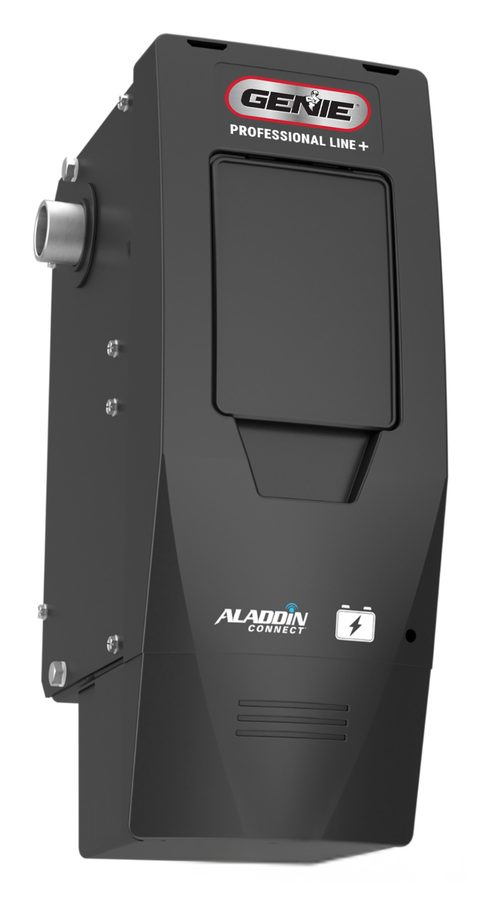
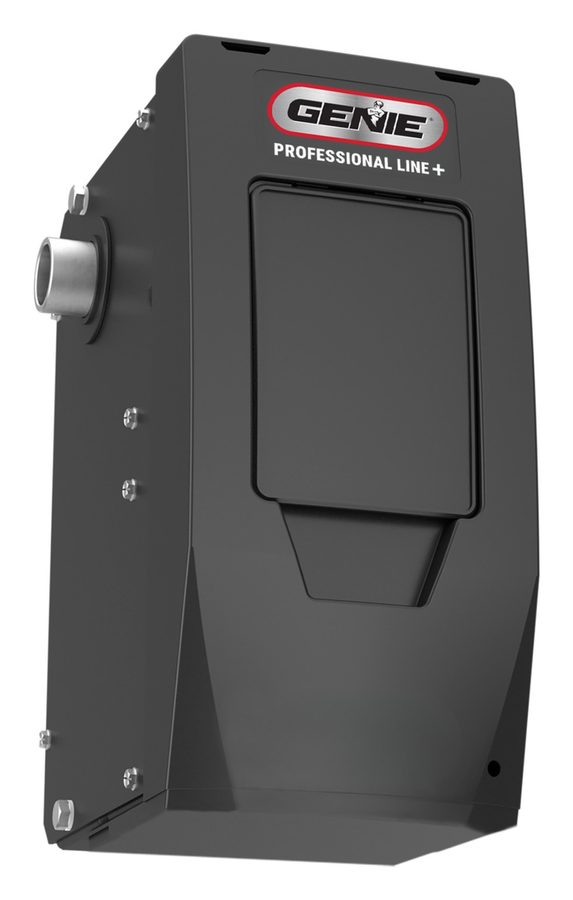
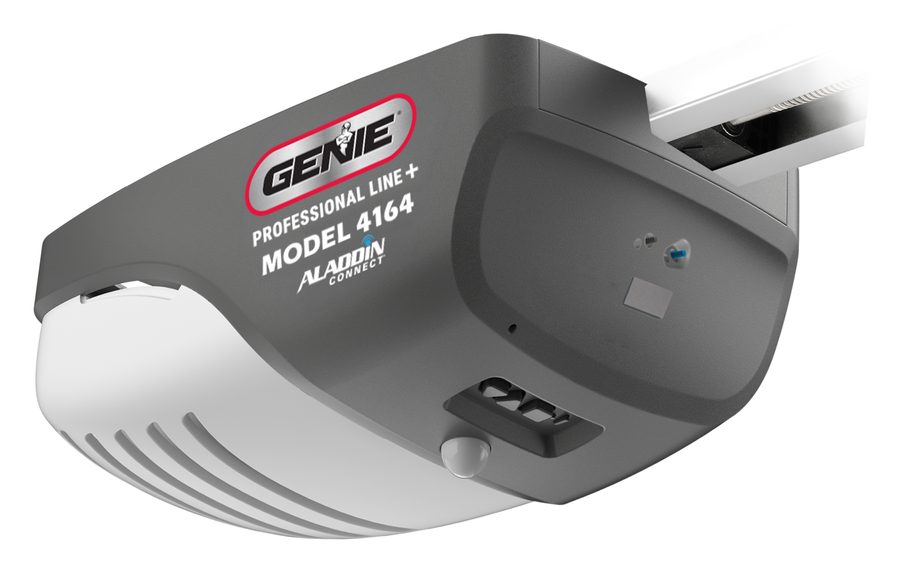
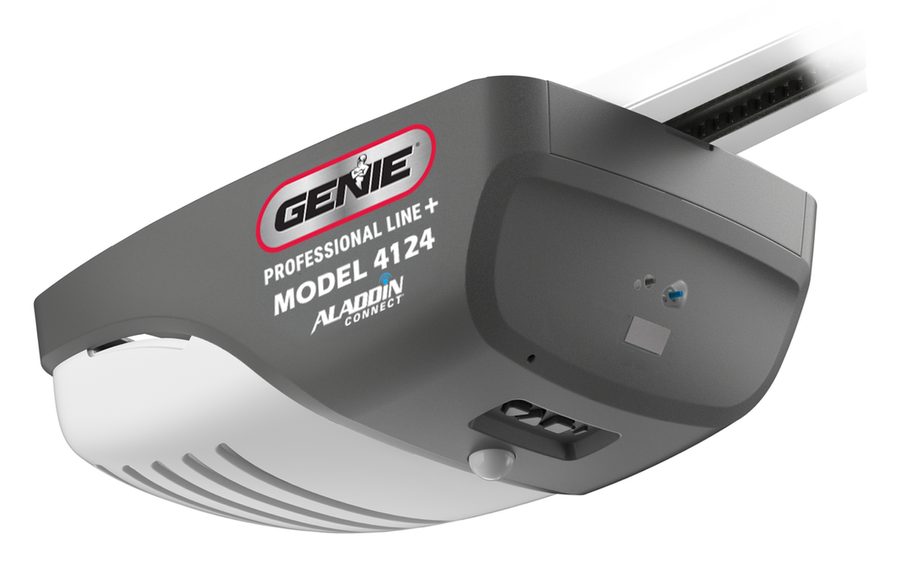
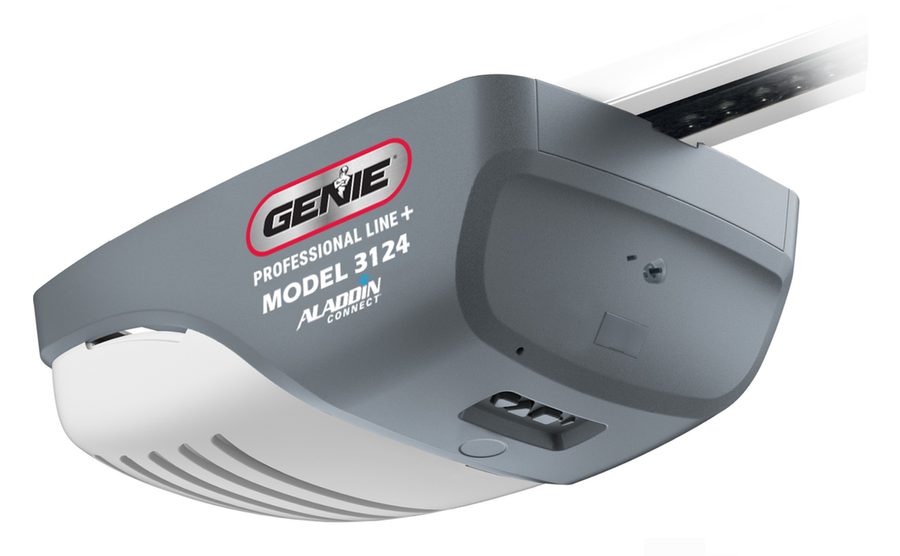
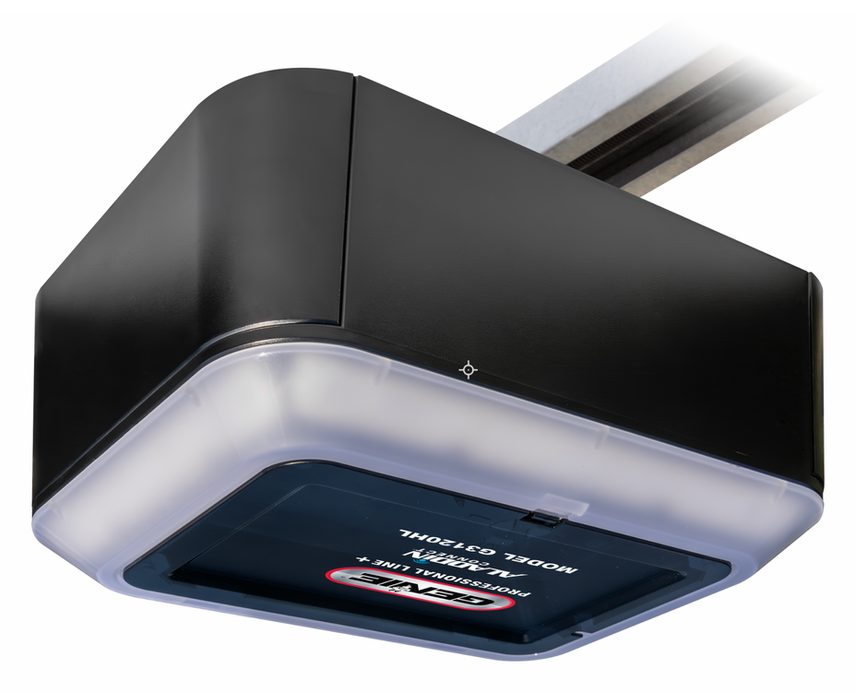
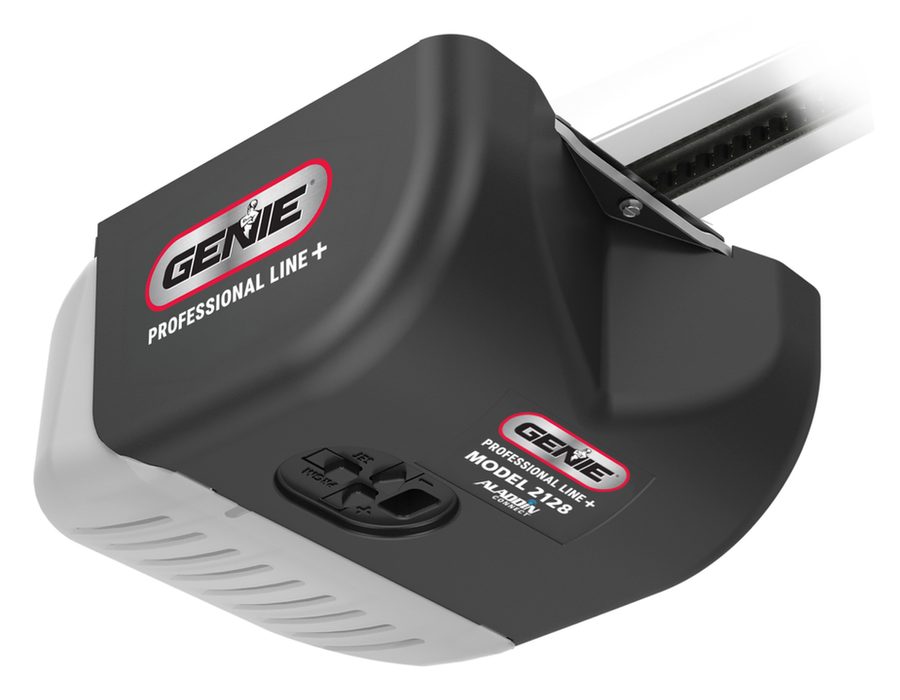
Product images: Genie (geniecompany.com).
Wall mount, screw, belt or chain?
- Wall mount openers attach to the door’s spring tube, so the ceiling stays clear for storage or a tall ceiling. Genie recommends them for garages with beams that block a ceiling opener, and the compact unit fits tight side room. Genie’s manual says to use them only on residential sectional doors with front torsion springs.
- Screw drive models (4164H, 4064H) are the fastest Genie Pro openers, at up to 12 inches per second, with a maintenance free screw rail.
- Belt drive runs quietly, which matters for a garage under a bedroom or next to living space. Chain drive is a durable, lower cost option that suits a detached garage. Most Genie Pro rail models come with either.
- Battery backup (the B models) keeps the door working in a power outage. On battery the door runs slower than normal.
Not sure which one fits? Tell us how you use your garage and we will recommend a model and give you a firm price before any work begins. We offer financing on new openers, and you can compare with the LiftMaster and SOMMER openers we also install, or read which opener features matter.
Genie openers sold in stores
Genie also sells a retail line through stores, including the 4042 SilentMax 1200 and 3142 belt drives, the 7155 StealthDrive Connect belt drive with Wi-Fi and battery backup, the 3022 ChainMax 1000 chain drive, the 4063 MachForce Connect screw drive, and the 6172 and 6072 wall mount openers. We repair these too and program their remotes and keypads.
Genie commercial operators
For businesses, Genie makes trolley, hoist and jackshaft operators in light, medium, standard and heavy duty classes, rated from about 4 cycles per hour (counter doors) up to 60 cycles per hour (the heavy duty GH hoist and GT trolley). We install and service them on commercial sectional and rolling doors.
Genie’s opener warranty
| Models | Motor | Core parts | Rail | Accessories and battery backup |
|---|---|---|---|---|
| 6070 / 6170 wall mount | Limited lifetime | 5 years | No rail | 1 year |
| 4064 / 4164 screw drive | Limited lifetime | 5 years | Screw: limited lifetime | 1 year |
| 4124, 3024 / 3124, G3120HL | Limited lifetime | 5 years | Belt: limited lifetime; chain: 5 years | 1 year |
| 2028 / 2128 | 10 years | 1 year | Belt: 15 years; chain: 5 years | 1 year |
| 1028 / 1128 | 5 years | 1 year | Belt: 15 years; chain: 5 years | 1 year |
This is Genie’s limited warranty for Pro openers with a serial number starting 26001 or higher (made in 2026 and after). On earlier openers the belt on the 4124, 3024, 3124 and 3120 is covered for 15 years instead of lifetime; the other terms are the same. “Limited lifetime” means for as long as the original buyer owns the home where the opener was first installed. On wall mount models the core parts are the powerhead, wall control, Safe-T-Beam sensors, door lock and light. Genie’s warranty covers parts only (labor is excluded), is not transferable, covers residential installs in the US and Canada, and does not cover batteries or damage from unauthorized parts. Register the opener at geniecompany.com or by calling Genie at 1-800-354-3643, and keep your receipt.
From Genie’s Pro garage door opener limited warranty (geniecompany.com, revision 11/2025), checked November 2026.
Aladdin Connect: control a Genie opener from your phone
Aladdin Connect is Genie’s Wi-Fi system. It is built into Genie’s smart openers (such as the 6170H-B, 4164H, 4124H, 3124H, G3120HL and 2128), so no extra hardware is needed, and the free Aladdin Connect app lets you open, close and check the door from anywhere with no subscription fee for those core features.
- Alerts and history: notifications when the door is opened from the app, wall console or a remote, and a log of when it ran and who ran it.
- Shared access: invite family members, or give a virtual key to a friend, delivery or service person for a set time, a range of time, or permanently. Genie’s wall mount manual lists up to 20 users per account.
- Rules: close the door automatically at a set time each day, or after it has been left open for a set time.
- Several doors: manage multiple Genie openers from one account.
- Smart home: works with Amazon Alexa and Google Assistant, among other smart home platforms.
Before the door moves from the app, the opener light and a warning sound come on. For setup, Genie asks for a Wi-Fi signal of at least two bars on your phone at the spot where the opener is mounted; if the signal is weak, move the router closer or add a range extender. On Genie wall mount openers, Aladdin Connect only works with the light fixture installed and working.
Older openers and other brands
Genie’s Aladdin Connect retrofit kit adds the same app control to an existing opener. Genie lists it as compatible with most residential openers made after 1993 that have safety sensors, including Genie, Overhead Door, Chamberlain, LiftMaster, Craftsman, SOMMER, Linear and Wayne Dalton. It is not for openers without safety sensors or for one piece doors.
From Genie’s Aladdin Connect pages, the Aladdin Connect retrofit kit page and the setup sections of Genie’s wall mount and belt/chain manuals, checked November 2026.
How to program a Genie remote
Press and hold the PROGRAM (SET) button on the Genie opener until the round light turns blue, then let go: the long light flashes purple. Within 30 seconds, stand at least 5 feet away and slowly press the remote button twice. The opener lights flash and go off, and a third press runs the door.
Before you start. Clear people, pets, cars and ladders out of the door’s path; the door can move while you program. Each remote button is programmed separately, and each step has a 30 second limit. If both opener lights come on and stay on, time ran out: start the step again.
Which Genie remotes work with your opener
| Your opener | How to tell | Remotes that work |
|---|---|---|
| Current Genie openers | PROGRAM/SET button with a long and a round light, plus UP and DOWN buttons | Current Genie Intellicode remotes and keypads (G1T, G3T, GM3T, GK keypads, Genie universal remotes and keypads) |
| Genie openers made 1995 to 2011 | LEARN CODE button with a red light | Current Genie Intellicode remotes. On openers made 1995 to 1997, use the two upper buttons of a three button remote |
Genie’s universal remote chart lists two Genie codes, both on 315/390 MHz: Intellicode (1995 to now) and Intellicode II (2010 to 2011). Genie’s current one button remote programs to Genie openers from 1995 to now, and the three button G3T runs up to three Genie openers made 1997 to now. Genie says it can only guarantee Genie brand remotes and keypads on Genie openers. Remotes take a CR2032 coin cell battery. For an opener made before 1995, call us.
Older Genie opener with a LEARN CODE button
- Press and release the LEARN CODE button on the opener once. The red light starts to flash.
- Slowly press and release the remote button twice. The opener lights flash and go off.
- Press the button a third time: the door should move.
Program a Genie wireless keypad and set your PIN
A new Genie wireless keypad comes with the PIN 3-5-7. Program it before mounting it.
- Open the battery compartment, pull the protective tab, and close it again. Wait until the number backlight is off.
- Put the opener into programming mode: hold PROGRAM/SET until the round light turns blue, release, and the long light flashes purple (on older openers, press LEARN CODE once).
- Press 3-5-7 on the keypad.
- Press the UP/DOWN key slowly 3 to 4 times, until the door moves.
- Change the PIN right away: enter 3-5-7, press PROGRAM once, enter a new PIN of 3 to 8 digits, and press PROGRAM once. The old PIN stops working.
To use it, enter your PIN and press UP/DOWN. For 15 seconds after a good entry any key runs the door. For a temporary PIN (a repairman or a neighbor), enter your PIN, press PROGRAM three times, enter the temporary PIN and press PROGRAM once; it works until your own PIN is used again. To reset the keypad, hold PROGRAM and UP/DOWN together for about 5 seconds, until the lights blink slowly and go out. Mount the keypad within sight of the door, at least 5 feet above the floor. Genie’s universal keypad can also run up to three openers of other brands with one PIN.
Program your car (HomeLink or Car2U)
- First time only: clear HomeLink by holding the first and third buttons until the light blinks slowly, then fast (about 20 seconds). This erases every opener stored in the car.
- Hold your Genie remote about 2 inches from the HomeLink button. Hold the remote button, then also hold the HomeLink button you want to use, until the HomeLink light blinks slowly and then fast. Release both.
- Put the opener into programming mode (round light blue, long light flashing purple).
- In the car, press the HomeLink button for 2 seconds and release, then again for 2 seconds and release. The opener’s long light flashes blue and goes off.
- Press the HomeLink button a few more times until the door moves.
Genie lists its Pro openers as HomeLink and Car2U compatible with no repeater box or bridge, and its 6170H brochure says it works with current and all earlier versions of both. On a Car2U system, button 1 is set for Genie openers from the factory. On older openers with a LEARN CODE button, train HomeLink with your remote, press LEARN CODE (you then have 30 seconds), and press the HomeLink button until the door runs. Some cars need HomeLink activated by the car dealer.
Erase lost or stolen remotes
- Hold PROGRAM/SET until the round light turns blue, then release. The long light flashes purple.
- Hold the UP and DOWN buttons together until both lights turn blue, then release. The lights go out.
- Press a remote button: the door should not move. Reprogram every remote, keypad and car you keep.
This erases all remotes, keypads, HomeLink and Car2U, but not Aladdin Connect or the wireless wall console. To erase a wireless wall console, hold UP and DOWN for 10 seconds or more in step 2, until the lights turn green. On an older opener, hold LEARN CODE until its light stops blinking. Do this when you move into a home or lose a remote.
From Genie’s Programming and Erasing Remote Controls sheet, the G3T remote and GK wireless keypad instructions, the HomeLink article on support.geniecompany.com, and Genie’s wall mount and belt/chain owner’s manuals, checked November 2026.
Genie opener blinking light codes
Current Genie openers report problems with two lights next to the programming buttons, one long and one round. A flashing red round light (long light off) means the safety sensors are blocked or out of line; a flashing red long light (round light off) means the door hit something or the opener sensed a problem with the door; steady red on both means the travel limits need to be set again.
Safety first. Garage door springs, cables, brackets and pulleys are under extreme tension. Never adjust or repair them yourself, and don’t run the door, by the opener or by hand, if a spring is broken or the door is out of balance. Use the emergency release with the door closed when you can: with a weak or broken spring, an open door can drop fast.
| Round light | Long light | What it means | What to do |
|---|---|---|---|
| Off | Off | Normal, or no power | If nothing responds, plug a lamp into the outlet to check power, then check the breaker |
| Red, steady | Red, steady | Travel limits not set | Program the limits again (steps below) |
| Red, flashing | Red, flashing | Program error, or a failed part | Unplug the opener, wait 5 seconds, plug it back in. If it comes back, call us |
| Blue or purple, flashing | Off | The remote you used is not programmed | Program the remote (steps above) |
| Red, flashing | Off | Safety sensors (Safe-T-Beam) blocked, or interference from another pair | Remove the obstruction, clean the lenses, check that the sensors face each other |
| Off | Red, flashing | The door hit something going up or down, or the opener detected a door problem | Remove the obstruction. If nothing was in the way, the springs, track, rollers or hinges need service: call us |
| Off | Red, steady | Motor overheated (thermal cutout) | Do not unplug it. Wait until the light clears |
| Off | Blue, flashing | Door will not open: Sure-Lock is on | Turn Sure-Lock off at the wall console |
| Purple, steady | Purple, steady | Component error | Call us |
| Purple, flashing | Purple, flashing | Radio receiver error | Unplug for 5 seconds and plug back in. If it continues, call us |
| Yellow, alternating (wall mount) | Interlock open | Call us to check the interlock wiring | |
Battery backup models show both lights steady green when the battery is charged, both flashing green when the power is out and the opener is on battery, both flashing yellow while charging, and red to yellow flashing for a dead battery: let it charge for 48 hours, and replace the battery if it still fails.
Safe-T-Beam sensor lights
The sensor with the red light sends the beam; the one with the green light receives it. Both lights on steady is normal. Red light blinking 2 times with green on: the beam is blocked or the sensors are out of line. Red blinking 2 times with green off: a sensor wire is broken or loose. Red blinking 3 times: the sensor is getting interference. Direct sunlight can blind the receiver, so Genie puts the red light sensor on the sunny side of the door. Use only Genie sensors: Genie says sensors from other makers must not be used with its openers.
Other common problems
- Door goes down, stops and goes back up: check the sensors first. In an emergency you can close the door by holding the wall control button down until it is fully closed. If it keeps happening with the sensors clear, the limits, the force setting or the door itself needs attention.
- Wall control works, remotes don’t: replace the remote battery (CR2032), then reprogram the remote. On rail openers with light bulbs, LED bulbs can also cut remote range.
- Opener runs but the door doesn’t move: on a rail opener the carriage may be disconnected from the chain or belt, or the chain or belt is broken. On a wall mount, the coupler on the spring tube may have come loose. Call us for either.
- Wall mount stops and starts slowly at the start of closing: this is normal. Genie’s wall mount openers move in small steps to check cable tension before closing at full speed.
- Door opens by itself: a stuck button on a remote or wall control, or a lost remote. Erase all remotes and program the ones you have.
How to set the travel limits on a Genie opener
Genie calls this programming the limits. It is needed after some repairs, or when the door stops short of the floor or the top. The door must be connected to the opener and resting partly open, not fully open or closed, and the opener must be plugged in (never set limits on battery power).
- Down limit: press and hold the DOWN arrow until the long light turns blue, then release. The long light flashes blue.
- Hold DOWN until the door is closed. Use UP and DOWN to fine tune: the bottom seal should be pressed enough to seal along the floor, but not so much that the door bends.
- Press and release PROGRAM/SET. Both lights flash blue and go out.
- Up limit: press and hold the UP arrow until the long light turns blue, then release. The round light flashes blue.
- Hold UP until the door is open, with its bottom about even with the top of the opening, then press and release PROGRAM/SET. Both lights flash blue and go out.
- Force: run the door all the way down and back up with the wall control, twice, so the opener learns the force your door needs.
- Do the safety reversal test below.
Genie sets the force at the factory and warns never to raise it to make up for a heavy or unbalanced door, a binding track or a broken spring. If the door needs more force than it used to, the door needs service, not the opener.
The safety reversal test (monthly)
- With the door open, lay a 2x4 board flat on the floor in the middle of the doorway.
- Close the door with the wall control.
- When the door touches the board it must stop and go back to fully open within 2 seconds. The long light flashes red.
- Remove the board and run the door once more to clear the light.
If the door does not reverse, close it, disconnect the opener with the emergency release, and stop using the opener until it is fixed. Call us.
Monthly checks from Genie’s manual
- The safety reversal test above.
- Sensors: look for loose or damaged wires and wipe the lenses clean.
- Door balance: with the door closed, pull the emergency release, lift the door by hand to 3 or 4 feet and let go. It should stay put or drift down slowly. If it shoots up or drops, call us to service the springs. Reconnect the opener afterward.
- Battery backup: unplug the opener and run the door from a remote or the wall console.
From the programming, troubleshooting, LED signal and maintenance sections of Genie’s Residential Wall Mount Opener manual (39947, 5/2025) and Belt/Chain Drive Opener manual (42598, 10/2024), checked November 2026. More fixes are in our garage door opener troubleshooting guide.
Genie repair and installation
Call us for a new Genie opener, including the 6170H-B wall mount, a Genie opener repair, safety sensors, rail extensions for a tall door, Aladdin Connect setup, or Genie remotes and keypads programmed on site. We are open 24/7 including weekends and holidays, you get a firm price before any work begins, and the $45 service call is waived when we do the repair. Estimates for new openers are free: call, or text us photos. We serve all of Central Maryland; see all the brands we install.
What our customers say
Rated 5.0 stars from 1,264 Google reviews
Our Prices
prices starting from
- Safety Tune-Up $149
- Garage Door Opener Installation $495

We offer financing
Prefer to pay over time rather than all at once? Prequalify for financing today.
*All financing is subject to credit approval. Your terms may vary. Payment options through Wisetack are provided by our lending partners. For example, a $5,500 purchase could cost $253.54 per month for 24 months, based on a 9.9% APR, or $1,833.33 per month for 3 months, based on a 0% APR. Offers range from 0 to 35.9% APR based on amount requested and creditworthiness. Not all merchants and lending partners participate in 0% interest programs. Terms range from 3 - 120 months and may vary based on merchant, lending partner, or transaction size. State interest rate caps may apply. No prepaid finance charges or participation fees. See additional terms at wisetack.com/faqs.